If a website isn’t updating correctly, behaves unexpectedly, or seems stuck displaying old information, clearing your browser cache can often resolve the issue.
🌐 Google Chrome
🔧 Steps
Open Google Chrome.
Click the three dots (⋮) in the top-right corner.
Select Settings.
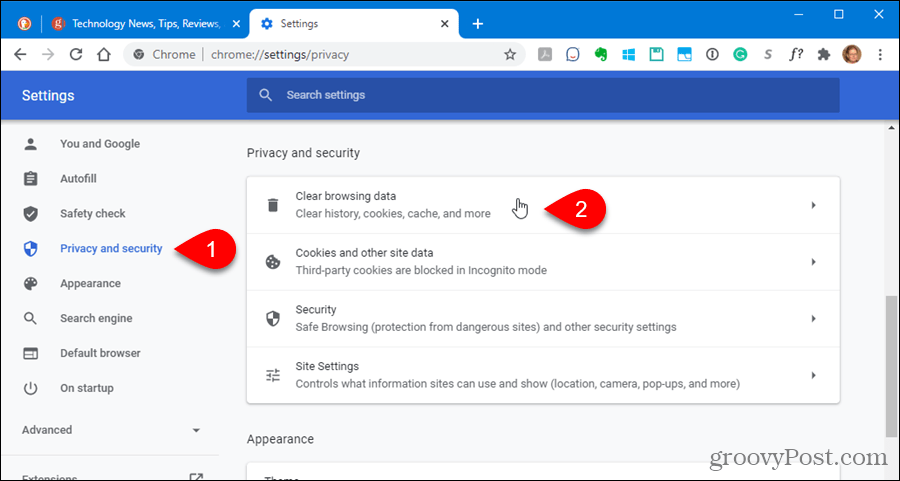
Go to Privacy and security.
Click Clear browsing data.
Under the Basic tab:
Check Cached images and files.
Optionally check Cookies and other site data if needed.
Choose All time as the time range.
Click Clear data.
Close and reopen Chrome.
🪟 Microsoft Edge
Open Microsoft Edge.
Click the three dots (…) in the top-right corner.
Select Settings.
In the left menu, open Privacy, search, and services.
Scroll to Clear browsing data.
Click Choose what to clear.
Select Cached images and files (and Cookies, if needed).
Choose All time as the time range.
Click Clear now.
Restart Edge.

🦊 Mozilla Firefox
🔧 Steps
Open Mozilla Firefox.
Click the three horizontal bars in the top-right corner.
Select Settings.
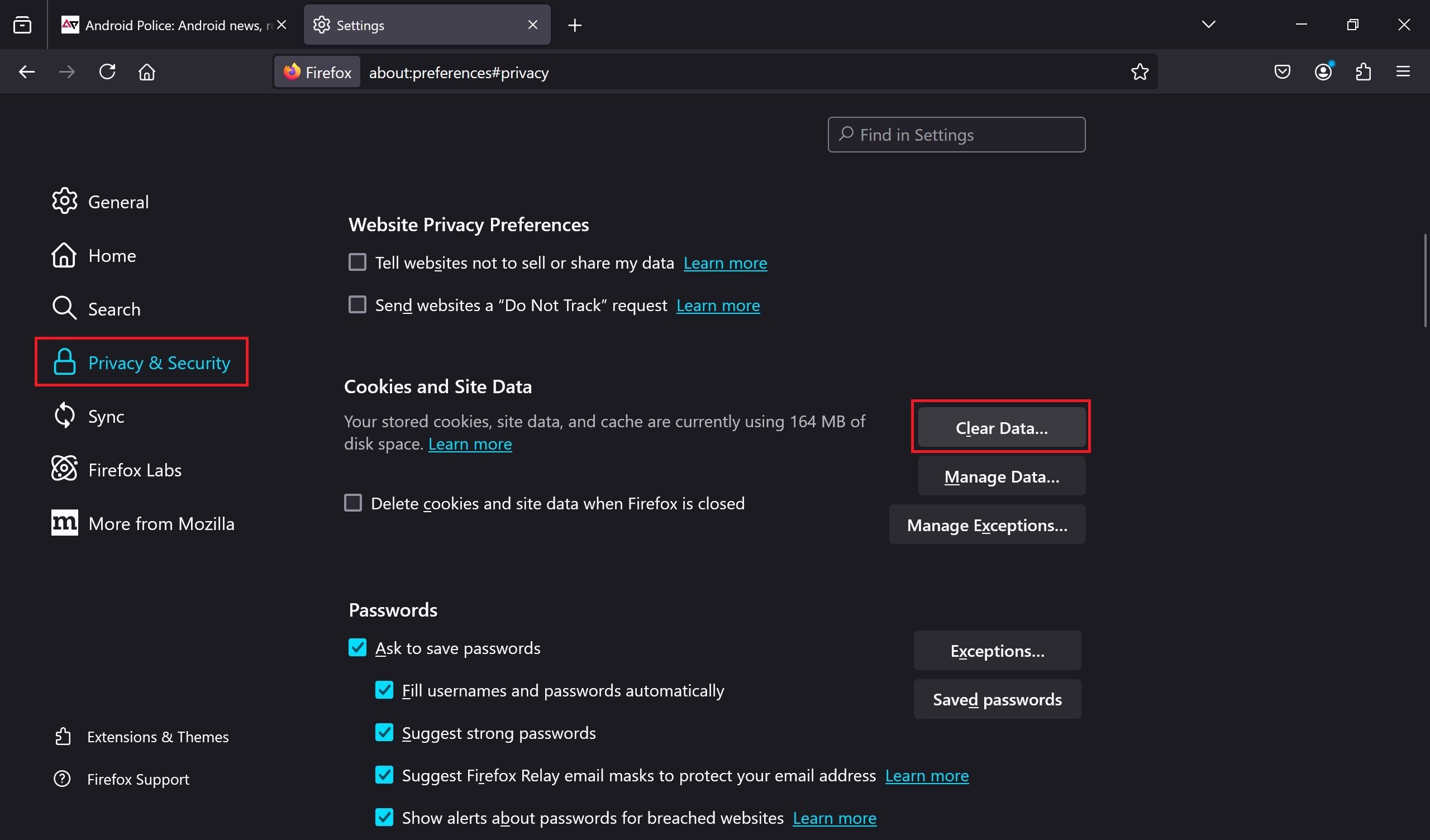
Navigate to Privacy & Security.
In the Cookies and Site Data section, click Clear Data….
Check Cached Web Content (and Cookies if necessary).
Click Clear.
Restart Firefox.